
SolidWorks vs Fusion 360: Which Makes More Sense for a Business?
Fusion 360 is appealing for a simple reason.
It costs less. Significantly less.
This is often how the comparison begins. On paper, the reasoning seems logical. Why pay more for CAD software if another appears modern, comprehensive, and much more accessible?
Because in reality, CAD software isn't judged the day you buy it.
It's judged when the work becomes heavier.
- When assemblies grow larger.
- When revisions pile up.
- When production expects clean drawings.
- When engineering time starts costing much more than the license.
That's when the comparison changes.
Fusion 360 is not bad software. For certain profiles, it can be very suitable. A small structure, lighter needs, a simpler context: yes, it can do the job.
Yes, some companies will not go beyond the possibilities that Fusion 360 offers them.
Yes, some companies do not need the extended capabilities of SolidWorks
But many manufacturing companies aren't just looking for the cheapest software to buy.
They are looking for the one that will make the most sense when the work gets serious.
And that's usually where SolidWorks regains the advantage.

Fusion 360 Pricing in April 2026
Hybrid Desktop vs. Cloud-First Approach
This is probably one of the most significant differences between the two.
- Fusion 360 has a clearly cloud-oriented approach. It's part of its DNA. The product's operation, collaboration, data management, and overall experience revolve around this approach.
- SolidWorks is true desktop software, installed locally, with cloud services added when they provide real value.
And this difference matters much more than we think.
Many industrial companies do not want a "cloud-first" approach for everything.
How many companies still use the local EXCEL or POWERPOINT suite saved online on OneDrive/Sharepoint?
How many companies need to be able to access their documents without internet?
They want a robust mechanical design environment on the workstation, plus the modern advantages of the cloud for sharing, collaboration, versions, or certain connected functions.
In other words, they want the best of both worlds.
This is exactly where SolidWorks' hybrid approach makes more sense for many manufacturing teams.
The debate is therefore not "old desktop versus cloud modernity."
The real debate is more like this:
Do you want software designed primarily for real mechanical design on a local workstation, with added cloud capabilities?
Or software designed primarily around a cloud logic, with local functionality revolving around it?
In many industrial contexts, the answer is quite clear.
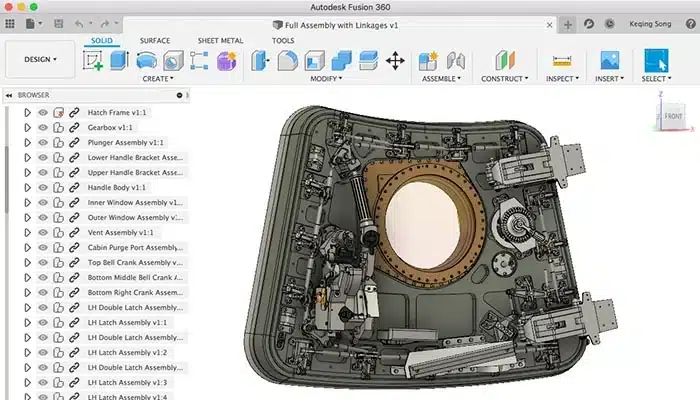
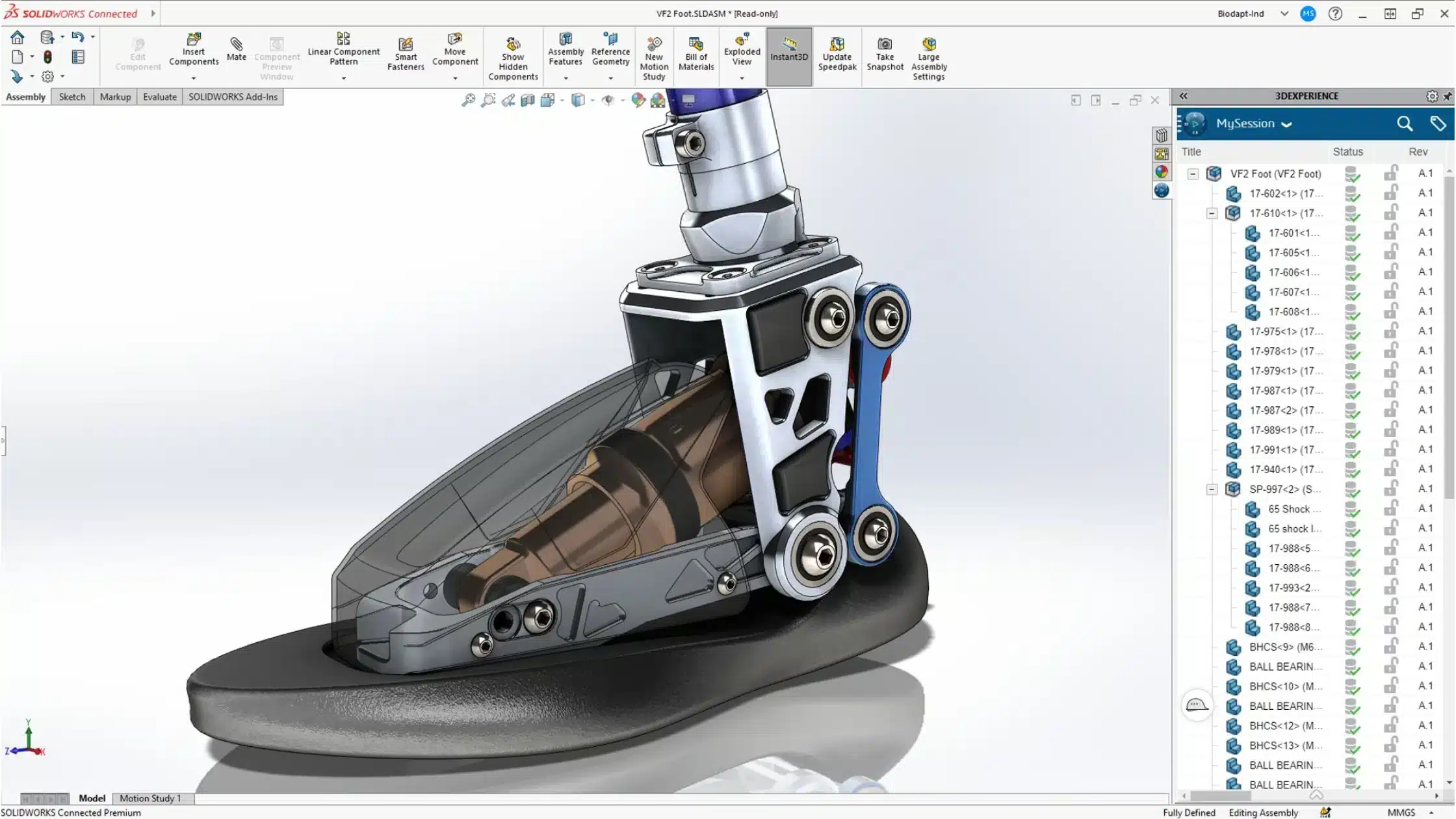
Fusion 360 (cloud interface) vs SolidWorks (local)
When projects become (more) complex, the difference starts to show.
The difference is rarely apparent on a simple part.
For a small project, many software solutions seem adequate. You do your modeling, you create a drawing, and everything seems fine.
The real test begins later.
It begins when your assembly no longer contains 10 or 15 components, but several hundred. When a simple change to one part triggers a cascade of updates. When you have to open a weldment assembly, modify a sub-assembly, ensure everything rebuilds properly, and then send usable drawings to production without losing half a day.
This is also where the issue of references becomes concrete.
A moved hole. A changing thickness. A purchased part replaced. A welded support modified at the last minute. On paper, these are small changes. In reality, on a real industrial project, these are precisely the modifications that put software to the test.
And that's often where SolidWorks maintains an advantage.
Not because Fusion 360 would be incapable of modeling a serious project.
But because as the assembly grows, dependencies multiply, and revisions become frequent, many teams find SolidWorks more reassuring, more natural, and more aligned with a true design office logic.
Let's take a simple example.
A company designs a special machine with a weldment structure, several machined plates, commercial components, a drive system, some covers, and then a series of drawings for the workshop and suppliers.
Initially, almost any CAD tool seems to do the job.
But when this machine needs to be revised three times in two weeks because the client requests a different stroke, the motor changes format, and a cover needs to be redesigned to accommodate a cable, the reality changes very quickly.
Here, the software is no longer judged on its ability to deliver a beautiful demo. It's judged on its ability to absorb changes without turning every modification into a mini-project.
This is exactly why many manufacturing companies remain committed to SolidWorks.
Because when the work becomes denser, more connected, more dynamic, they are no longer looking for the cheapest software. They are looking for the one that will hold up best when everything starts moving at once.
And in a real industrial context, that's not a minor detail.

SolidWorks can manage complex assemblies mixing mechanical, hydraulic, electrical components...
SolidWorks vs Fusion 360: Mechanical and Fluid Simulation
Running a simulation on your 3D product: where the topic gets serious
This is an important differentiating point.
Fusion 360 offers simulation, yes.
But as soon as needs become more advanced, you quickly enter a logic of:
- Extensions
- Added modules
- Piling costs.
And that's where the famous argument "Fusion is cheaper" starts to lose its strength.
Because in reality, the starting price no longer tells the whole story.
A company that designs physical products doesn't just buy a 3D modeler. It also buys the ability to validate technical choices without tinkering with its software environment as its needs become more serious.
From this perspective, SolidWorks often inspires more confidence in a manufacturing context.
- Cooling
- Airflow
- Thermal behavior
- Flow, overall performance
- Deformation of an assembly with several hundred components
SolidWorks has a strong argument here with its Simulation tool range.
And above all, it sends a clear message to the market: we are no longer just dealing with software that allows drawing. We are in a design environment built for companies that develop real products with real technical requirements.
For many manufacturing SMEs, this completely changes the perception of the software.
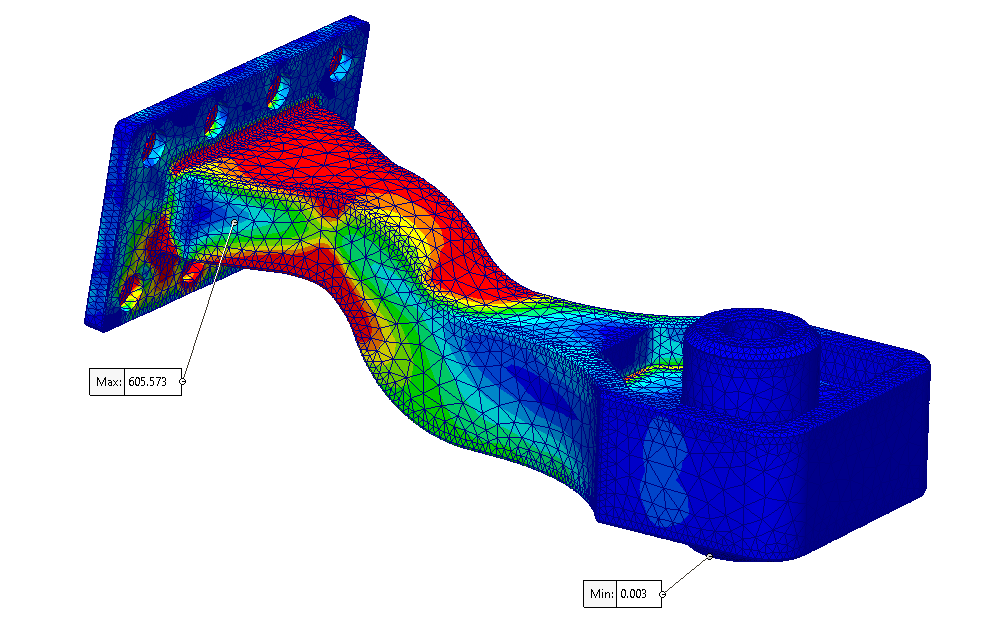

Different types of simulation that can be launched directly in SolidWorks (left: mechanical simulation study, right: fluid simulation)
SolidWorks vs Fusion 360: The Final Verdict
- Fusion 360 is often considered first because it seems simpler to purchase.
- SolidWorks is often chosen by companies that look beyond the initial price.
If your needs are light, your budget is extremely tight, and you primarily want a cheaper entry point, Fusion 360 can make sense.
But if your company designs real products, with real assemblies, real manufacturing constraints, more serious simulation, and a desire to build something solid over time, then the comparison deserves to go much further than just the price.
And in many cases, that's precisely where SolidWorks maintains the advantage.